Best Hardware for HomeLab Server 2026: Ultimate Guide
Piecing together a self-hosted environment—or upgrading an existing one—is always a fun project. Still, sifting through the countless component options out there can easily leave you feeling overwhelmed. As technology keeps moving at a breakneck pace, figuring out exactly what you need for virtualization, containers, and automation is crucial.
Striking the perfect balance between raw performance, power draw, and budget is a common hurdle for developers and IT pros alike. Make the wrong call, and you could end up dealing with an annoyingly loud fan, an eye-watering electricity bill, or a rig that just can’t keep up with modern apps.
If your goal is to truly future-proof your setup, tracking down the best hardware for homelab server 2026 is going to be the bedrock of your success. Let’s walk through some of the top hardware recommendations available right now. We’ll cover everything from budget-friendly mini PCs to heavy-duty enterprise gear, helping you squeeze every drop of value out of your investment.
Why Choosing the Right Hardware is a Challenge
Putting together a solid homelab isn’t as simple as grabbing the priciest processor off the shelf. Really, it comes down to optimizing for 24/7 uptime, keeping things cool, and ensuring seamless virtualization support. It’s incredibly common for beginners to fall into the trap of obsessing over CPU cores while completely neglecting RAM and storage speeds.
Resource bottlenecks are easily one of the biggest sources of homelab headaches. Whether you’re deploying apps in Docker, testing CI/CD pipelines, or juggling a handful of virtual machines on Proxmox, you’ll almost certainly exhaust your RAM way before you max out your processor. Grasping that delicate balance between compute power and memory capacity is half the battle.
Then there’s the tricky business of architecture compatibility and IOMMU group support. Let’s say you want to dabble in hardware passthrough—like handing off a dedicated GPU to a specific VM for AI tasks or Plex transcoding. To do that, your motherboard and CPU absolutely must support VT-d (Intel) or AMD-Vi. If you skip reading through a solid homelab hardware guide, you risk buying gear that completely kneecaps your virtualization goals.
Also, while ARM-based single-board computers (like the classic Raspberry Pi) make for a fantastic low power homelab server, they aren’t perfect for everything. Plenty of enterprise-level applications still strictly require an x86/x64 architecture. Pick the wrong chip architecture, and you might find yourself entirely locked out of running industry-standard software.
Quick Solutions: Basic HomeLab Setups for 2026
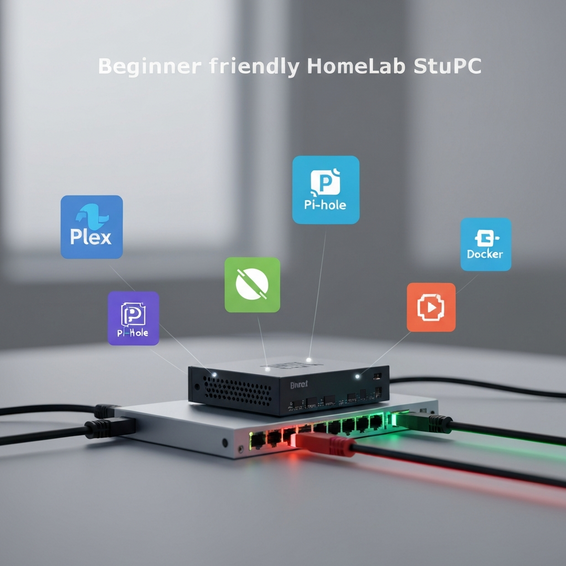
If you’re new to self-hosting or just prefer a whisper-quiet, highly efficient system, let me save you some stress: you don’t need a massive rackmount server. A relatively cheap homelab setup is more than capable of handling network-wide ad blocking via Pi-Hole, media streaming with Plex or Jellyfin, and managing your smart devices through Home Assistant.
Here are a few practical routes you can take for a basic homelab setup:
- Opt for Mini PCs: The current crop of mini PCs—think brands like Beelink, Minisforum, or Intel NUC alternatives—running Intel N100, N305, or N97 chips are absolute powerhouses of efficiency. They often sip less than 15 watts of electricity at idle, and thanks to built-in Intel Quick Sync, they handle media transcoding flawlessly.
- Utilize Tiny/Mini/Micro Form Factors: Dive into the used market, and you’ll find a goldmine of refurbished 1-liter micro-computers. Systems like the Dell OptiPlex Micro, Lenovo ThinkCentre Tiny, or HP ProDesk Mini are built like tanks. They bring desktop-grade Intel Core i5 or i7 processors to the table and typically feature dual SO-DIMM slots, making memory upgrades a breeze.
- Create a Mini PC Cluster: Rather than dumping all your budget into a single monolithic tower, consider grabbing three affordable mini PCs instead. By networking them together into a Proxmox hardware cluster or a Docker Swarm, you get an incredible hands-on learning experience. It’s the perfect way to master high availability, load balancing, and failover mechanics.
Curious about managing clusters and automating your deployments? Be sure to check out our deeper dives into DevOps workflows and best practices.
Advanced Solutions: Enterprise and Custom Builds
Now, if you’re a DevOps engineer, an AI researcher, or a dedicated data hoarder, a tiny mini PC just isn’t going to cut it. Your workloads demand serious PCI-e expansion, massive storage arrays, lightning-fast 10GbE networking, and heavy computational muscle.
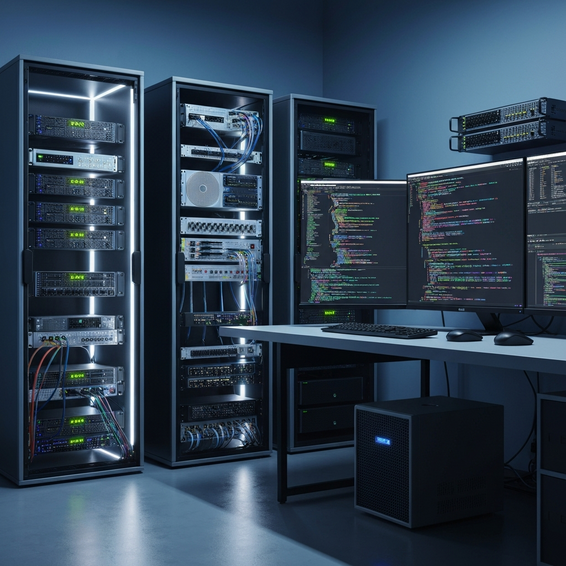
Taking the leap to an advanced server rack homelab gives you the ability to mimic a real-world enterprise production environment. If you want to tinker with complex networking protocols, spin up Kubernetes clusters, train local Large Language Models (LLMs), or run heavy database operations, this kind of setup is indispensable.
To push your setup to the next tier, consider exploring these advanced hardware paths:
- Custom Whitebox Servers: This involves building your own server from scratch using consumer or workstation components—like an AMD Ryzen 9 or Intel Core i9—housed inside a standard 4U rackmount chassis. The beauty of this route is that you get incredible single-core clock speeds and ultra-quiet ATX cooling, plus plenty of physical space to add multiple NVMe drives and dedicated GPUs.
- Decommissioned Enterprise Gear: You can often score incredible deals on used enterprise hardware, such as a Dell PowerEdge R740 or an HP ProLiant DL380. These beasts give you access to dual Intel Xeon or AMD EPYC processors, jaw-dropping ECC RAM capacities, redundant power supplies, and handy out-of-band management features like iDRAC or iLO. Just brace yourself—they pull a lot of power and can sound like a jet engine taking off in your home.
- Dedicated NAS Storage Solutions: If storage is your primary concern, try building a TrueNAS Core or Scale machine. You’ll want to use a dedicated HBA (Host Bus Adapter) card flashed to IT mode. Pair that setup with the robust ZFS filesystem and enterprise-grade spinning drives—like Seagate IronWolf or WD Red Pro—and you’ve got a highly reliable, massively scalable storage vault.
Wrapping your head around heavy database workloads is a must when running advanced gear. If you plan on self-hosting intricate SQL or NoSQL databases, you’ll definitely want to read up on our favorite self hosted tools and data optimization techniques.
Best Practices for Your 2026 HomeLab
Whether you decide on a subtle micro PC or a sprawling enterprise rack, sticking to a few homelab best practices is always a smart move. Doing so keeps performance snappy, minimizes bottlenecks, and shields your precious data from catastrophic failures.
1. Prioritize RAM Over CPU: Virtualization has a notorious appetite for memory. It’s always a good idea to buy hardware that leaves room for future RAM upgrades. While 32GB is a solid baseline, pushing for 64GB or even 128GB hits the ultimate sweet spot, especially if you want a highly flexible Proxmox hardware setup.
2. Segment Your Network Strategically: Don’t treat security as an afterthought—make it a day-one priority. By using a managed network switch alongside a dedicated firewall (like OPNsense or pfSense), you can isolate your server traffic into separate VLANs. This ensures any externally exposed services stay far away from your personal home network devices.
3. Monitor Power and Thermals: Servers running around the clock generate a surprising amount of heat. Make sure your network closet or server rack has adequate airflow. It’s also wise to use smart plugs and software dashboards—Grafana is fantastic for this—to keep an eye on your wattage and prevent your electricity bill from skyrocketing.
4. Automate Backups Religiously: No matter how premium your hardware is, it will eventually fail. That’s just a fact of IT life. Save yourself the heartbreak by implementing a strict 3-2-1 backup strategy. Automate routine backups to a physically separate NAS in your home, and always mirror your critical configuration files to a secure, off-site cloud storage provider.
5. Maintain Comprehensive Documentation: As you add more services to your homelab, the complexity naturally scales up. Do your future self a massive favor and use platforms like BookStack or Outline to meticulously document your IP addresses, reverse proxy configs, and Docker compose files.
Recommended Tools and Resources
Picking great hardware is only half the puzzle. To really bring your system to life, you need an equally impressive software stack and reliable components. Here are a few top-tier recommendations for your 2026 build:
- Hypervisors: Proxmox VE continues to reign as the undisputed king of modern homelabs. Not only is it free and open-source, but it also natively supports both lightweight LXC containers and traditional KVM virtual machines out of the box.
- Hardware Recommendations:
- Beelink SER6 Mini PC — Hits a fantastic sweet spot between raw compute power and everyday energy efficiency.
- Crucial 64GB DDR5 RAM Kit — An absolute must-have if you plan on running dense hypervisor environments or dozens of containers.
- Seagate IronWolf Pro HDDs — Widely regarded as the premier spinning drives for custom NAS storage rigs.
- Container Management: Pairing Docker with Portainer offers a remarkably user-friendly graphical interface. It makes deploying, updating, and managing your self-hosted web apps feel effortless.
Frequently Asked Questions
What is the best hardware for homelab server 2026?
Truthfully, the “best” hardware heavily depends on what you’re trying to achieve. For beginners or anyone keeping a close eye on their budget, a multi-node cluster built from Intel N100 or N97 Mini PCs delivers an unbeatable mix of low power draw and high efficiency. On the flip side, advanced users will find that assembling a custom Ryzen-based workstation server—or snagging a refurbished Dell R740—provides unparalleled, enterprise-grade scalability.
How much RAM do I need for a homelab?
If your game plan is just to spin up a few basic Docker containers—like Pi-hole and a media server—16GB of RAM will easily get the job done. But the moment you introduce a hypervisor like Proxmox running multiple operating systems, Kubernetes clusters, or demanding databases, you should absolutely aim for 64GB. That extra headroom prevents frustrating homelab CPU and memory bottlenecks down the line.
Is a Mini PC enough for a homelab?
Without a doubt. Today’s Mini PCs pack a serious punch with powerful multi-core processors and blazing-fast NVMe storage. Plus, many models now support up to 64GB (and sometimes even 96GB) of DDR5 RAM. Moving into 2026, they are widely recognized as the gold standard for anyone who wants a silent, energy-conscious self-hosting setup.
Should I use enterprise servers at home?
Honestly, you should only bring an enterprise server into your home if you have a specific need for massive PCI-e lane expansion, dual CPU sockets, or strict ECC memory requirements. You also have to be perfectly fine with extreme fan noise and a noticeable bump in your monthly electric bill. These days, most homelab enthusiasts lean toward building custom desktop-grade whiteboxes or clustering mini PCs, rather than dealing with the quirks of older, power-hungry rack servers.
Conclusion
Building your own server infrastructure is a deeply rewarding journey. It’s hands down one of the best ways to sharpen your DevOps, networking, and broader IT skills. By taking the time to pick the right components upfront, you ensure your setup remains fast, unobtrusive, and power-efficient for years to come.
It’s all about balancing memory capacity, processor architecture, storage speeds, and power constraints. Nail that balance, and you can easily put together a robust system tailored exactly to your unique needs. So, whether you opt for a whisper-quiet mini PC cluster or a heavy-duty rackmount behemoth, investing in the best hardware for homelab server 2026 guarantees a highly reliable, future-proof foundation for all your self-hosted adventures.
My advice? Start small, prioritize RAM expansion above almost everything else, map out your network security early, and just dive headfirst into the incredible world of virtualization!
About the Author