Best Homelab Ideas for Learning DevOps Built From Scratch
If you’re aiming to transition into a cloud or infrastructure engineering role, you probably already know that breaking into the tech industry takes more than just memorizing documentation or passing a few multiple-choice certification exams.
To truly grasp how complex, distributed systems interact, you need real-world, hands-on experience. That’s why exploring the right homelab ideas for learning devops is hands down the best way to build your engineering chops in a safe, budget-friendly environment.
Throughout this guide, we’ll dive into practical projects that perfectly mimic actual enterprise environments. Whether you are just starting with basic application containerization or moving toward advanced GitOps deployments, you’ll discover exactly how to level up your career and ace those tough technical interviews.
Why You Need a Dedicated Homelab for Learning DevOps
Countless junior engineers and recent grads face the dreaded “experience paradox.” Tech companies are eager to hire professionals who already possess hands-on expertise with CI/CD pipelines, automated deployments, and infrastructure scaling. But how exactly are you supposed to gain that experience without landing a job first?
Leaning entirely on major cloud providers like AWS, Google Cloud, or Azure can actually be quite risky for beginners. A single misconfigured auto-scaling group or a forgotten managed database instance is all it takes to rack up an unexpected cloud bill worth hundreds—or even thousands—of dollars overnight.
Setting up a local, dedicated homelab completely eliminates this problem. It gives you a sandboxed, personal environment where you can freely deploy databases, test out volatile automation scripts, and even intentionally break server configurations without breaking out in a sweat over your finances.
When you tackle practical projects right at home, you successfully bridge the gap between theoretical concepts and actual execution. A home server acts as the ultimate playground to master Linux administration, networking fundamentals, and system resilience. As a bonus, documenting your lab architecture makes for an incredibly compelling portfolio piece.
Beginner Homelab Ideas: Basic Infrastructure Projects
If you’re just getting your feet wet, keeping your hardware and software stack simple is crucial. You certainly don’t need a massive enterprise server rack to start experimenting. Here are a few actionable, beginner-friendly projects to kick off your journey.
- Deploy Your First Docker Containers
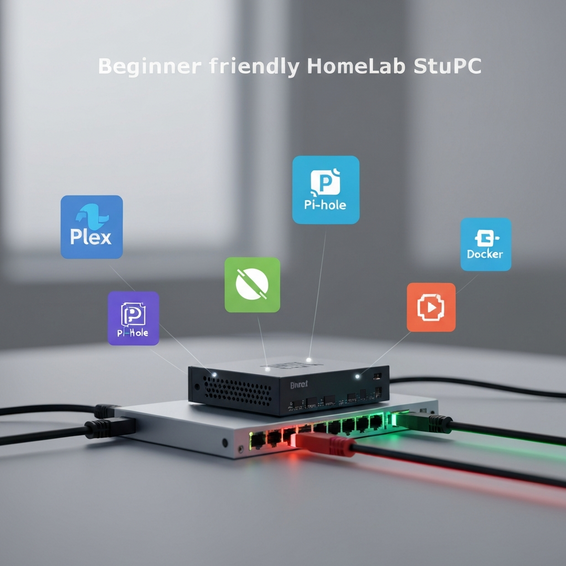
Containerization is the undisputed foundation of modern application deployment. To get started, install Docker and Docker Compose on an old laptop or even an inexpensive Raspberry Pi. Try deploying a basic web stack—like Nginx, PHP, and a MySQL database—entirely through a singledocker-compose.ymlfile. Fundamentally, this project will teach you how microservices communicate across isolated virtual networks. - Automate a Network-Wide Ad Blocker
Pi-hole is an amazing network-wide ad blocker that instantly improves your home internet experience. However, rather than installing it manually with a simple shell script, challenge yourself to use Ansible. By writing a playbook that automatically installs, configures, and secures the software, you’ll get a perfect introduction to configuration management. Plus, if your server ever crashes, you can rebuild it in seconds using your new Ansible code. - Set Up a Local CI/CD Runner
Building and maintaining continuous integration workflows is a massive part of day-to-day DevOps responsibility. Try installing a self-hosted GitHub Actions runner or spinning up a local Jenkins server. From there, create a straightforward pipeline that lints a Python script, executes basic unit tests, and automatically pushes your newly built Docker image to Docker Hub the moment you commit code to your repository.
Advanced Homelab Ideas for Aspiring Cloud Engineers
Once you’ve wrapped your head around basic containers and automation tools, it’s time to build out some true enterprise-grade infrastructure. Tackling these advanced projects will undoubtedly make your resume stand out to senior technical recruiters.
- Build a Bare-Metal Kubernetes Cluster
Kubernetes has become the modern industry standard for container orchestration. Rather than relying on a managed cloud service like EKS or GKE, try building a multi-node, highly available cluster locally using K3s or kubeadm. By utilizing multiple Mini PCs or virtual machines to establish dedicated control planes and worker nodes, you’ll gain profound insights into load balancing, persistent volumes, Ingress controllers, and how to gracefully handle unexpected node failures. - Provision Infrastructure as Code (IaC) with Terraform
It’s time to stop manually clicking through web interfaces just to create virtual machines. Install a robust hypervisor like Proxmox VE, then use Terraform to fully automate your VM provisioning process. Mastering infrastructure automation empowers you to effortlessly spin up fresh staging and testing environments in a matter of seconds. This is precisely how senior engineers manage large-scale cloud deployments. - Implement GitOps Workflows with ArgoCD
Elevate your local Kubernetes cluster by deploying ArgoCD. GitOps is an increasingly popular methodology where your Git repository serves as the absolute single source of truth for your infrastructure’s state. The moment you update a deployment manifest in Git, ArgoCD will automatically detect that change and sync it directly to your cluster, completely eliminating the need for manualkubectldeployments. - Set Up Centralized Monitoring and Observability
You simply can’t manage what you aren’t measuring. Deploy a comprehensive observability stack utilizing Prometheus, Grafana, and Loki. Next, configure Node Exporters on all your virtual machines to continuously scrape CPU, RAM, and disk metrics. Once that’s running, build custom dashboards to visualize your network traffic and set up automated Discord or Slack alerts so you immediately know if a server goes offline.
Best Practices for Managing Your DevOps Environment
Putting together a personal home data center is incredibly exciting, but keeping it running smoothly requires a bit of discipline. Following these optimization and security tips will ensure your environment remains both stable and secure.
- Enforce Network Segmentation (VLANs): Never expose your internal lab services directly to the open internet or your potentially vulnerable IoT devices. Instead, use VLANs on a managed switch to strictly separate your experimental homelab traffic from your everyday personal home network.
- Implement Reverse Proxies and SSL: Trying to access 20 different services using raw IP addresses and obscure port numbers will get confusing very quickly. Solve this by setting up a reverse proxy like Traefik or Nginx Proxy Manager. You can then use Let’s Encrypt alongside a Cloudflare DNS challenge to automatically generate valid wildcard SSL certificates for your local domains.
- Keep Secrets Out of Git Workflows: You should never hardcode database passwords, API keys, or cloud credentials directly into your configuration files. Get into the habit of using professional tools like HashiCorp Vault or Mozilla SOPS to securely encrypt your secrets before you ever push them to your GitHub repositories.
- Automate Your Backups: It’s a harsh reality, but hard drives will eventually fail. Protect your hard work by setting up Proxmox Backup Server (PBS) or utilizing tools like Kopia to automatically back up your critical VMs and container volumes to an external NAS or cloud storage bucket.
Recommended Tools and Hardware Resources
To extract the absolute most value out of these educational projects, you’ll need the right mix of hardware and software. Here are some highly recommended, developer-approved resources to get you going.
Hardware Recommendations:
- Refurbished Mini PCs: Machines like the Lenovo ThinkCentre or the Dell OptiPlex Micro are widely considered the holy grail of homelabs. They draw incredibly low power while still delivering desktop-class CPU performance.
- Raspberry Pi 4 or 5: These are excellent, highly affordable options for ARM-based container testing. They also shine when running lightweight network services like custom DNS or VPNs.
- Network Attached Storage (NAS): Investing in a dedicated Synology unit or putting together a custom TrueNAS build is highly recommended when it comes to safely storing backups and persistent application data.
Software Stack Recommendations:
- Proxmox VE: Arguably the absolute best free, open-source hypervisor available for easily managing virtual machines and Linux containers (LXC).
- Ubuntu Server: The definitive industry-standard operating system when it comes to hosting modern web applications and various self-hosted tools.
- Portainer: A wonderfully lightweight, highly intuitive web GUI that helps you visually manage both your Docker and Kubernetes environments.
Frequently Asked Questions (FAQ)
How much RAM do I need for a DevOps homelab?
If your main focus is strictly on basic Docker projects, having 8GB to 16GB of RAM is more than sufficient. However, if you’re planning to run Proxmox, a multi-node Kubernetes cluster, and several background virtual machines all at once, you’ll want to aim for at least 32GB to 64GB of RAM to keep things running smoothly.
Should I use Proxmox or VMware ESXi?
For modern homelabs, Proxmox VE is generally the top recommendation. It is completely open-source, entirely free to use without any frustrating feature restrictions, and natively supports those lightweight LXC containers. While ESXi is certainly powerful, it has recently gone through some major licensing changes and features much stricter hardware compatibility limitations.
Can I effectively learn DevOps without a physical homelab?
Yes, you absolutely can. You always have the option to use the free tiers offered by major cloud providers (like the AWS Free Tier) or ephemeral environments such as GitHub Codespaces. That said, having a local, physical lab forces you to actively troubleshoot raw networking, storage protocols, and hardware virtualization at a much deeper, more fundamental level.
What is the most important tool to learn first?
Before you dive headfirst into complex orchestrators, it’s vital to get comfortable with standard Linux command-line administration and basic Git workflows. Once you’ve got those down, move directly on to Docker. Understanding containerization is pretty much the required prerequisite for mastering almost every other piece of modern infrastructure technology.
Conclusion
Architecting and maintaining your very own local infrastructure is undoubtedly one of the most rewarding ways to master modern IT skills. By steadily working through these practical homelab ideas for learning devops, you’ll rapidly evolve from an absolute beginner into a highly capable, genuinely confident cloud engineer.
Just remember to start small. Focus on mastering basic Docker containers first, then gradually introduce Ansible automation to help streamline your configurations. Eventually, you can scale your entire lab up into a full-blown Kubernetes cluster managed entirely by automated workflows.
All those countless hours you spend troubleshooting broken DNS records or fixing failed deployments in your home environment won’t go to waste. In fact, they directly translate into the exact problem-solving skills you need to thrive in a high-paying tech career. So take action today: grab an old computer, load up a Linux server, and start deploying!
About the Author